
Get PaidFaster.
Send invoices, accept payments, and manage billing — all within CallBack. Stripe and PayPal integration included at no extra charge.
Stop chasing invoices.
Start getting paid.
Online Payments
Accept credit cards, debit cards, ACH, and digital wallets via Stripe and PayPal — without a separate account.
Recurring Billing
Set up subscription billing and recurring payment plans. Clients are charged automatically on schedule.
Invoice Templates
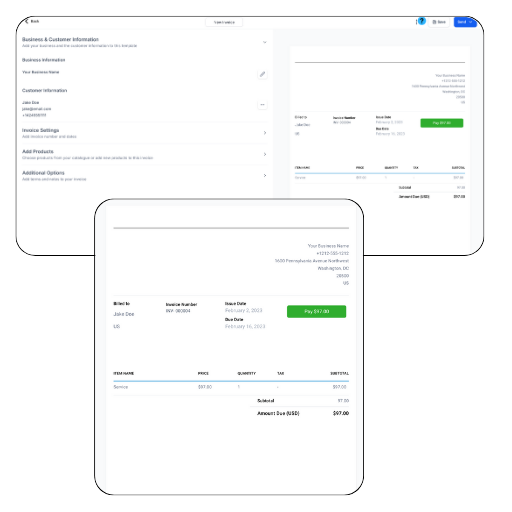
Create branded invoices from templates in seconds. Send via email or SMS with a one-click payment link.
Invoicing and payments
all in one place.
Unlimited Invoices
Create and send as many invoices as you need using branded templates. Add discounts, automate sending, and collect payment directly through the invoice — no third-party tool required.
Replaces: Zoho Invoicing, Invoice Ninja, Square Invoicing, QuickBooks
- Create and Send Unlimited Invoices
- Use Invoice Templates
- Automate Sending Invoices
- Add Discounts
- Collect Payments Through Invoice
Easy Payments
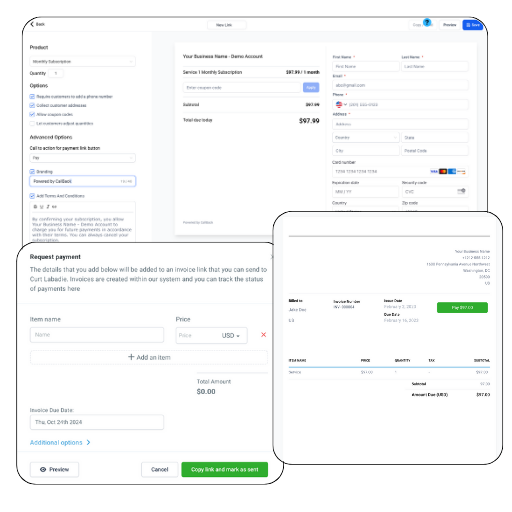
Meet clients wherever they are. Send a text with a payment link, embed checkout in your funnels, or manually charge a saved card — all from within CallBack with no extra gateway needed.
Replaces: Zoho Invoicing, Invoice Ninja, Square Invoicing, QuickBooks
- Send Text with Payment Link
- Create Payment Links with Predefined Products
- Send Invoices for Itemized Payment
- Collect Payments Through Funnels, Websites, Webinars, Forms & Calendars
- Manually Charge with Saved Card
From invoice to paid
in four steps.
Create Invoice
Pick a branded template, add line items, set due dates, and apply any applicable discounts.
Send to Client
Deliver the invoice via email or SMS with a secure, one-click payment link embedded.
Client Pays Online
Clients pay via card, ACH, or digital wallet in seconds — from any device, no account needed.
Auto-Record Payment
Payments are automatically logged to the contact record and reflected in your billing dashboard.
Billing that works as hard
as you do.
Keep your cash flow healthy with invoices that go out automatically and payments that come in without a follow-up.