
Automate YourEntire Workflow.
Build powerful automations that trigger actions based on events. From lead follow-up to policy renewals, put your business on autopilot.
Set it once,
run forever.
Visual Builder
Drag-and-drop automation builder. No code required — create complex multi-step workflows in minutes.
Event Triggers
Fire automations based on form fills, tag changes, date fields, pipeline stage moves, and more.
Multi-Channel
Send emails, SMS, voicemail drops, and in-app tasks — all from a single automated sequence.
A workflow builder that does
the heavy lifting for you.
Workflow Builder
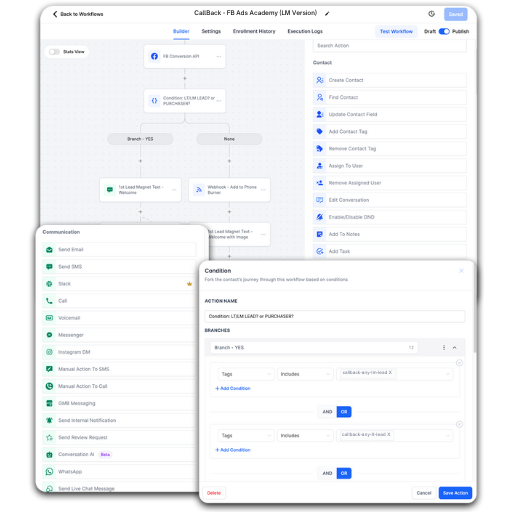
Build sophisticated multi-step automations with a visual drag-and-drop editor. From sending emails and texts to updating Google Sheets and posting to Slack — all branching logic included.
Replaces: ActiveCampaign, HubSpot, Infusionsoft
- Automatically Send Emails, Texts & Voicemails
- Automatically Change Pipeline Stages
- Send Internal Team Notifications
- Advanced Branching If/Else System
- System Task Automations
- Grant Course / Membership Access Instantly
- Update Google Sheets
- Send Content to Slack
Build your first automation
in under 5 minutes.
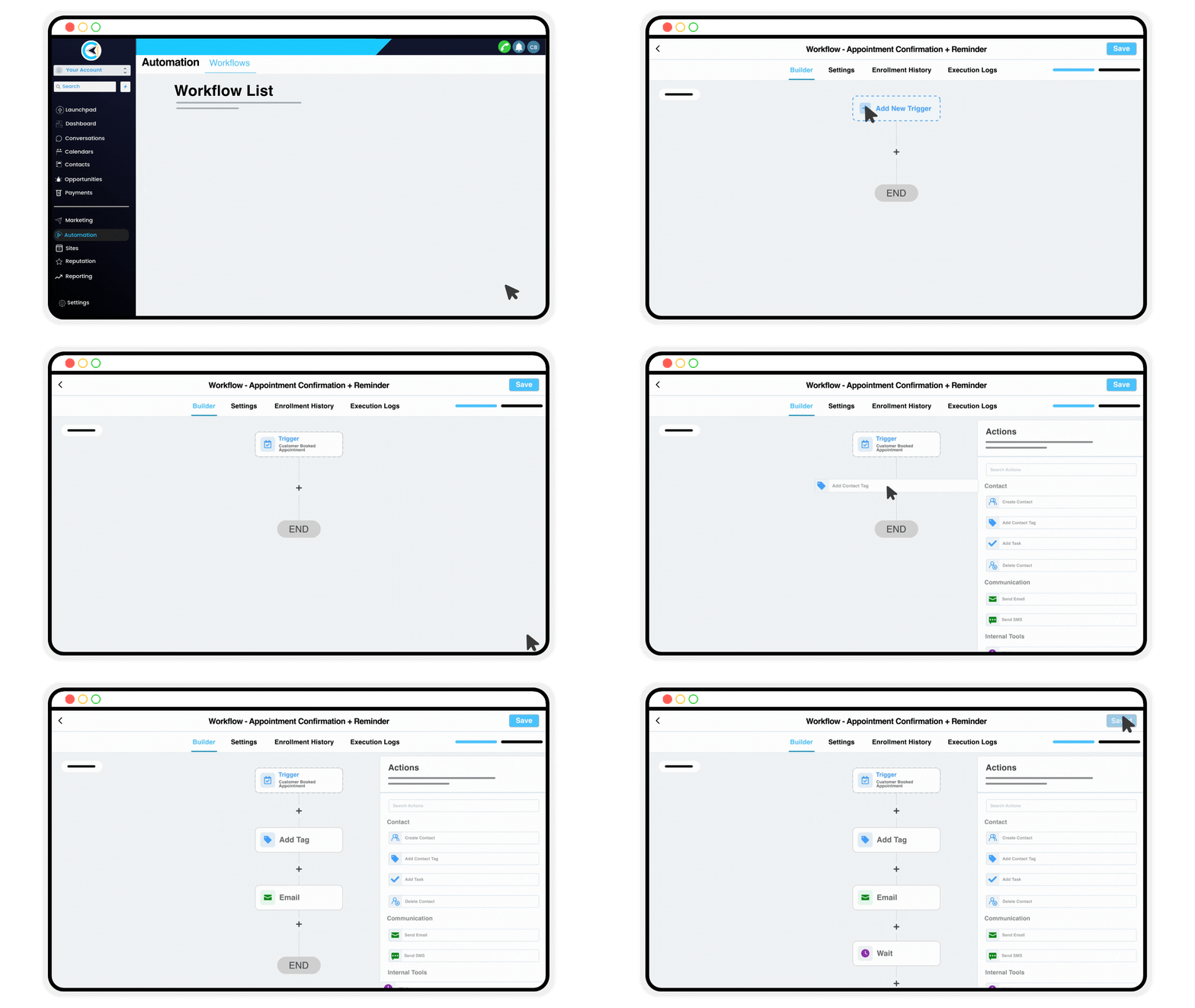
Choose Trigger
Pick the event that starts your automation — a form fill, a tag, a date, or a pipeline stage change.
Set Conditions
Add filters and conditions so your automation fires only for the right contacts at the right time.
Define Actions
Chain together emails, texts, tasks, voicemail drops, and pipeline updates in any order.
Activate & Monitor
Go live in one click and watch real-time stats as your automation runs on every matching contact.
Stop doing manually what
a machine can do for you.
CallBack's automation engine works around the clock so you can focus on closing.